Separating voice from audio is a process known as source separation. It involves taking an audio signal and splitting it into its component parts, such as vocals, instruments, or background noise. In order to separate the voice from the other elements of the audio, various techniques are used including frequency domain analysis (using Fourier transforms), time-domain analysis (using convolutional neural networks), statistical modeling (such as non-negative matrix factorization), and machine learning algorithms.
The goal is to identify which part of the signal belongs to which source in order to isolate each one for further manipulation or removal. Once separated, additional processing can be done on each individual element if desired before recombining them for output.
Voice and audio are two different elements when it comes to recording quality sound. Voice is the spoken words that come from a person, while audio is all of the other sounds in the environment, such as music or background noise. Separating voice from audio can help you create more professional-sounding recordings by eliminating unnecessary background noise and allowing your voice to be heard clearly.
By separating out these two elements in post-production, you can ensure that your final product has crystal clear dialogue and no distracting ambience or other noises.
Vocal Remover
A vocal remover is a type of audio processing software that identifies and eliminates vocals from a song or mixed track. It’s an extremely useful tool for musicians, producers and DJs who want to create instrumentals or acapellas out of existing tracks. Vocal removal can be done manually with equalization techniques, but it’s often more efficient and effective to use specialized vocal remover programs.
Background Music Remover Online
Background Music Remover Online is an online tool that allows you to easily remove background music from audio files. This useful tool can be used for a variety of purposes, including creating karaoke tracks, isolating vocal performances, and more. By using Background Music Remover Online, you can quickly strip away unwanted background noise in order to make your recordings sound cleaner and more professional.
Remove Vocals from Song Online
Removing vocals from a song online is possible with the help of various audio editing tools. These tools can help you isolate and remove the vocal track from your favorite songs, allowing you to create instrumental versions that are perfect for karaoke or background music for videos. Additionally, some software packages offer advanced features such as frequency equalizers and noise filters which can further improve the sound quality of your stripped-down tracks.
Separate Vocals from Music
Separating vocals from music is a technique used in audio engineering which involves isolating the vocal track of a song so that it can be manipulated separately from other elements. It is commonly used for remixing, instrumental versions, and karaoke tracks. Separating vocals from music requires advanced mixing skills as well as specialized software and hardware such as equalization and volume adjustments to isolate the vocal track.
Free Vocal Remover
Free vocal remover tools are a great way to create instrumental versions of your favorite songs. With these online programs, you can easily remove the vocal track from a song without any loss in sound quality. This makes them perfect for creating karaoke tracks for personal use or for other projects like making music videos.
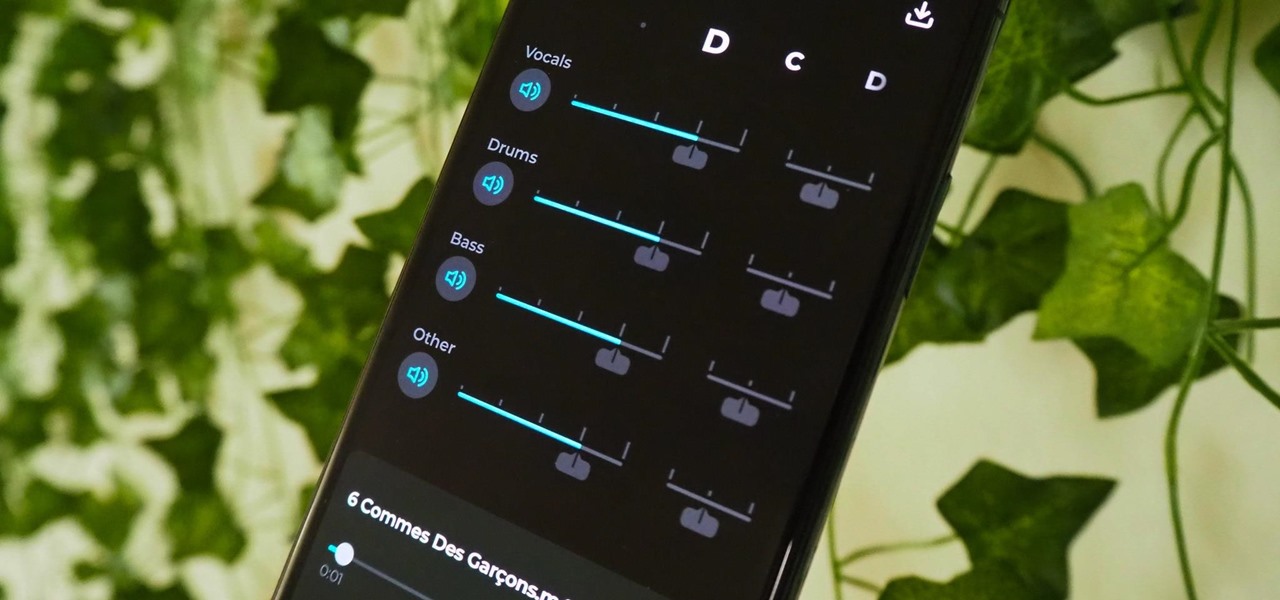
Credit: smartphones.gadgethacks.com
How Do You Separate Sound And Voice?
When it comes to separating sound and voice, the most common approach is by using a process called “Voice Separation.” This involves using specialized software that can separate out vocal sounds from background noise. The software will analyze the audio file for any frequency ranges associated with human speech and then isolate those frequencies from other noises in the recording.
It can also detect subtle changes in volume levels which can help identify spoken words more accurately. Voice separation is an essential tool for many audio production professionals as it helps them create cleaner sounding recordings and enhance their overall sound quality.
How Do I Isolate Vocals from Audio?
Using a process called vocal isolation, you can separate vocals from audio recordings. This technique is based on the principle of frequency separation and requires special software such as Adobe Audition or iZotope RX. The basic steps involve using equalization to isolate the frequencies associated with the voice, then applying noise reduction and other filters to remove any unwanted background noise.
Once this is done, you will be left with a clean vocal track that can be used either in its raw form or further manipulated for creative purposes.
Is There a Way to Separate Voice from Music?
Yes, there is a way to separate voice from music. This process is known as vocal isolation or instrumental separation and involves using audio editing software that can recognize the different frequencies of sound in an audio file. The program then separates them so you can hear each one individually.
Vocal isolation also requires careful attention to detail and understanding of how frequency affects sound because if done incorrectly, it can leave artifacts in the final product. Additionally, depending on the complexity of the song, some complex algorithms are needed for successful vocal isolation.
How Do I Separate My Voice from Background?
To separate your voice from background noise, you need to use a vocal booth or soundproofing material in the room where you’re recording. A vocal booth is a small, enclosed space which helps block out outside noises and provides better acoustics for recording. If investing in a vocal booth isn’t an option, then adding acoustic foam or other soundproofing materials on walls can help reduce background noise.
Additionally, proper microphone placement can also make a difference as it allows you to pick up more of your voice and less of the ambient noise. Be sure that the microphone is at least 3-4 inches away from your mouth to avoid popping sounds caused by plosives (hard consonants). Lastly, using directional microphones can also help isolate your vocals by rejecting all other sounds coming from behind or above them.
De-noising in Audacity (Video #1 for Nick). How to separate two voices recorded with Amolto (720p)
Conclusion
This blog post has shown that separating voice from audio is a great way to make sure your audio recordings are of the highest quality. With some basic knowledge and tools, anyone can understand how to separate voice from audio and use it for better editing. Whether you’re an amateur or professional sound engineer, taking the time to learn this technique will lead to improved sound clarity in your projects.
Making sure your audio clips are free of background noise will ensure a more polished sound overall.