To let others share your post on instagram story, simply enable the sharing feature in your instagram settings. In the following guide, we’ll walk you through how to easily enable this feature and allow others to share your posts on their instagram stories.
Instagram is a popular social media platform that allows users to share photos and videos with their followers. One of the features that sets instagram apart from other platforms is the instagram story feature. With instagram stories, users can share photos and videos that disappear after 24 hours.
This feature is a great way to engage with your audience and increase your visibility on the platform. By enabling the sharing feature on your posts, you give your followers the option to share your post directly to their instagram stories. This not only helps to increase your reach but also allows your followers to engage with your content in a more interactive way. We will show you how to let others share your post on instagram story. To enable the sharing feature, follow these simple steps: 1. Open the instagram app on your mobile device. 2. Tap on your profile icon at the bottom right corner of the screen. 3. Tap on the three horizontal lines at the top right corner of the screen to open the menu. 4. Tap on “settings”. 5. Scroll down and tap on “privacy”. 6. Tap on “story”. 7. Under “allow sharing”, make sure the toggle button is turned on. Once you’ve enabled the sharing feature, your followers will now be able to share your posts directly to their instagram stories. They can do this by tapping on the paper airplane icon below your post and selecting the “add post to your story” option. Allowing others to share your posts on instagram stories is a simple and effective way to increase your visibility and engage with your audience. By following the steps outlined in this guide, you can easily enable this feature and start benefiting from the increased reach and interaction it provides.
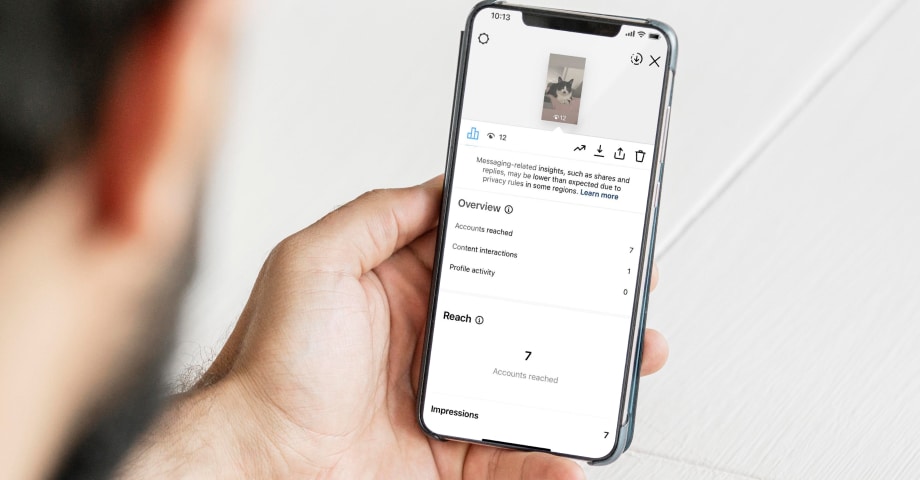
Credit: embedsocial.com
Make Your Content Shareable
In order to increase the chances of others sharing your post on their instagram story, it’s essential to make your content appealing and easy to share. Follow these tips to ensure your content is shareable:
Use Eye-Catching Images:
- Opt for visually striking images that capture attention.
- Use high-resolution photos to maintain image quality.
- Incorporate colors and compositions that align with your brand aesthetic.
- Experiment with different styles and filters to add uniqueness to your content.
- Consider using graphics or illustrations to enhance visual appeal.
Include Engaging Captions:
- Craft captions that grab the reader’s attention and spark curiosity.
- Keep the caption concise and to the point.
- Use a conversational tone and inject personality into your writing.
- Ask questions or encourage interaction to prompt engagement.
- Experiment with different caption styles, such as storytelling, humor, or inspirational quotes.
Add Relevant Hashtags:
- Research and include popular hashtags that align with your content.
- Use industry-specific hashtags to reach a targeted audience.
- Include trending or event-based hashtags to increase visibility.
- Avoid using excessive hashtags, as it can appear spammy and cluttered.
- Monitor trending hashtags and incorporate them into your captions when appropriate.
Remember, making your content shareable involves creating visually appealing images, crafting engaging captions, and strategically using relevant hashtags. By following these tips, you can enhance the likelihood of others sharing your posts on their instagram story, increasing your reach and engagement.
Utilize Story Stickers
Instagram story stickers are a fantastic way to encourage others to share your posts. These fun and interactive features can boost engagement and make your content more shareable. Let’s dive into different ways you can incorporate stickers into your instagram story to enhance your reach and get others sharing:
Encourage Interaction With Polls And Questions
- Utilize the poll sticker to ask your audience questions related to your post. For example, ask them to vote on their favorite option or their opinion on a particular topic.
- Engage your followers by using the questions sticker to prompt them to ask you relevant questions about your post. Encourage dialogue and create a sense of community.
- By incorporating polls and questions into your story, you not only make it more interactive but also increase the chances of others sharing your content on their own stories.
Drive Engagement With Countdowns And Quizzes
- Capture your audience’s attention with countdown stickers. Create excitement by counting down to an upcoming event, release, or new post related to your content. This will pique their curiosity and encourage them to share the countdown on their stories.
- Another effective way to drive engagement is through interactive quizzes. Craft a quiz related to your post and use the quiz sticker. People love sharing their results, so this can increase the chances of your story being shared.
Increase Shares With Location And Mention Stickers
- Incorporating location stickers in your post can encourage others to share your content if they have visited that place. When people tag a location on their stories, it increases visibility and reach.
- Mention stickers are a powerful tool to increase shares. Tag relevant accounts or influencers related to your post, and it’s likely they will repost or share your content on their own stories, reaching a larger audience.
By utilizing these story stickers, you can enhance the interactivity of your posts and encourage others to share them on their stories. Just remember to be creative, engaging, and relevant to make the most out of these features.
Promote User-Generated Content
User-generated content is a powerful tool to increase engagement and reach on instagram stories. By encouraging your audience to share their experiences with your brand or products, you can build a community and gain valuable exposure. Here are some effective ways to promote user-generated content:
- Run contests and giveaways: Engage your audience by organizing exciting contests and giveaways that require them to create instagram stories showcasing your content. This can be done by asking users to post their own photos/videos using a specific hashtag or tagging your account. In return, offer attractive prizes or exclusive discounts to incentivize participation. This not only generates user-generated content but also generates buzz around your brand.
- Showcase customer reviews and testimonials: Customers’ positive experiences can be a powerful endorsement for your brand. Encourage satisfied customers to share their reviews and testimonials on their instagram stories. This can be as simple as asking them to provide feedback and featuring the best ones on your own account. By giving them a shoutout and highlighting their experiences, you not only amplify their voice but also create social proof that can boost credibility and trust for potential customers.
- Collaborate with influencers and brand advocates: Influencers and brand advocates have the ability to significantly expand your reach on instagram stories. Collaborate with them by providing them with exclusive content or products to share on their stories. This can include special discounts or free samples. When their followers see them posting about your brand, it will create curiosity and interest, leading to increased exposure and potential followership.
Remember, the key to promoting user-generated content lies in creating a sense of excitement and value for your audience. By implementing these strategies, you can tap into the power of user-generated content and watch your instagram story reach soar.
Frequently Asked Questions Of How To Let Others Share Your Post On Instagram Story
How Can I Allow Others To Share My Post On Instagram Story?
To allow others to share your post on instagram story, first make sure your account is public. Then, enable the “allow others to reshare” option in the settings. Finally, create engaging content that users will want to share with their followers.
Why Is It Important To Let Others Share Your Post On Instagram Story?
Allowing others to share your post on instagram story increases your visibility. It exposes your content to a wider audience and can lead to more followers, likes, and engagement. It also helps to build a community around your brand, as users become advocates and share your content with their own followers.
Can I Control Who Shares My Post On Instagram Story?
No, you cannot control who shares your post on instagram story. Once you enable the “allow others to reshare” option, anyone who views your post can choose to share it on their story. However, you can monitor who shares your post by checking your story views and mentions.
Conclusion
By following these simple steps, you can encourage others to share your post on their instagram stories, boosting your visibility and reach. First, make sure your account is public to allow others to reshare your content easily. Then, create engaging and eye-catching posts that are likely to be shared.
Utilize hashtags strategically to expand your reach and attract relevant audiences. Follow and engage with others in your niche, fostering a sense of community and increasing the likelihood of shares. Lastly, be sure to mention or tag others in your posts to encourage them to share it on their stories.
Remember, the key to successful sharing is to offer valuable and compelling content that others will want to share with their own followers. By implementing these tips and tricks, you can harness the power of instagram stories to amplify your content and connect with a broader audience.