0x0000008E BSOD: What It Means and How to Fix It Fast
Stop code 0x0000008E usually points to a kernel-mode exception. This bug check has a value of 0x0000008E. It means a kernel-mode component generated an exception that the error handler did not catch. The fastest first move is to check whether the crash followed new hardware, a driver change, a laptop docking or docking-station change, or VPN software installation or update. Ignoring it can turn a bootable PC into a repeat-crash loop and make later diagnosis harder. This guide shows the safest checks, in the right order, to separate memory faults, driver exceptions, and corruption before you repair anything.
This guide is part of our Windows BSOD stop codes: full list and fixes series.
What 0x0000008E means and what to check first
0x0000008E is a STOP error tied to KERNEL_MODE_EXCEPTION_NOT_HANDLED. It means a kernel-mode application generated an exception that Windows did not catch. The bug check is very common, and the useful work is to identify which exception was generated.
Plain-English meaning of STOP 0x0000008E / KERNEL_MODE_EXCEPTION_NOT_HANDLED
This stop code does not name one failed part. It only tells you where the crash happened: in kernel mode, where drivers, low-level services, and hardware-facing code run.
How crash timing and bugcheck parameters narrow the cause
If the accompanying parameter includes 0xC0000005, that points to a memory access violation. Other parameter values can point to different exception types, such as 0x80000002 for an unaligned data reference or 0x80000003 for a breakpoint or ASSERT when no kernel debugger was attached. The timing matters too: crashes during boot, during heavy disk use, or right after a driver update suggest different branches.
Fast first look: recent driver, memory, hardware, laptop, or VPN changes
Start with the last change. New video drivers, a storage driver update, new RAM, a moved tower, a BIOS setting change, a laptop docking change, or VPN software installed just before the crashes can all tip a borderline system into repeated blue screens. If Windows still boots, note the last install date, then work backward from that change instead of guessing.
According to Resolved! How to Fix the STOP 0x0000008E Errors in Windows? – Mi… — MiniTool calls 0x0000008E also "0x8E".
What does 0x0000008E point to most often?
Most often, this stop code comes from three buckets: bad RAM, a bad or mismatched driver, or corrupted system files. Less commonly, disk or boot damage keeps Windows from loading far enough to recover. The crash pattern tells you which bucket to test first, and it helps avoid random repairs.
Rank the likely causes: RAM, driver exception, corrupted system files, disk or boot damage
Random crashes at different times lean toward RAM or a flaky hardware contact. Crashes that begin right after a driver update point to that driver. Repeated boot failure, missing boot files, or repair-loop behavior shifts attention toward system-file damage or boot records. The exception parameter helps confirm which branch is most likely.
How to use the crash pattern to decide which branch to follow next
If the same task always triggers the crash, focus on the related device or driver. If the machine falls over with no clear pattern, test memory first. If Windows will not boot, go straight to recovery tools after a basic physical reseat check. Do not skip ahead to reinstalling.
When Windows still boots versus when it will not
Bootable systems let you test drivers, run SFC, run DISM, and inspect logs before you touch recovery media. Unbootable systems need Windows recovery options first, then boot-record checks and offline repairs. That split saves time and lowers the chance of unnecessary data loss.
Use this triage matrix to pick the next step
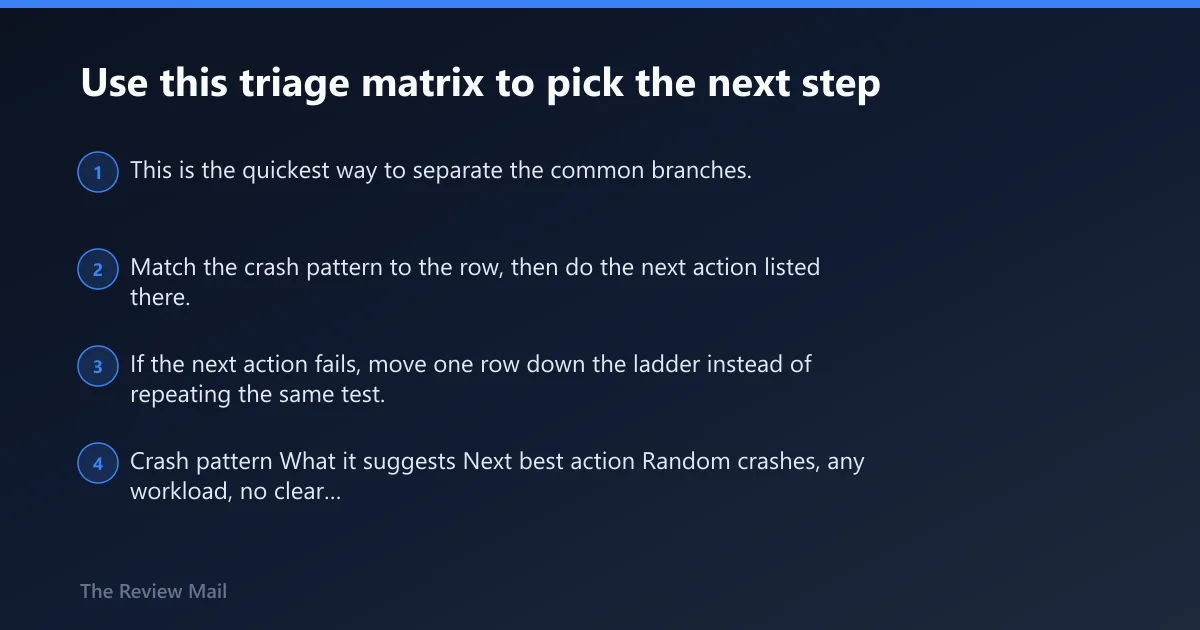
This is the quickest way to separate the common branches. Match the crash pattern to the row, then do the next action listed there. If the next action fails, move one row down the ladder instead of repeating the same test.
| Crash pattern | What it suggests | Next best action |
|---|---|---|
| Random crashes, any workload, no clear recent change | RAM or memory seating problem | Run Memtest, then reseat and test one stick at a time |
| Crash started after a driver or device update | Driver exception | Roll back the device driver; if that is unavailable, disable or uninstall it and reboot |
| Crash after moving the PC, new noise, or loose-device symptoms | Loose module, card, or cable | Shut down, unplug power, reseat memory, graphics card, and storage cables |
| Windows boots but stays unstable after repairs | System file or image corruption | Run SFC, then DISM, then plan a repair install if needed |
| Boot loop, repair screen, or missing boot files | Boot-record or disk issue | Use Startup Repair, then bootrec /fixmbr or bootrec /fixboot |
Is bad RAM the cause, and how do you test it correctly?
Bad RAM is a common cause, but it is not the only one. Test memory the right way before replacing anything. If the system was moved, reseating modules and checking contacts comes before long diagnostics, because a partially latched DIMM can imitate failing hardware.
Shut down, unplug power, and reseat memory modules; inspect for bent contacts or a partially latched DIMM
Power the machine off completely, unplug it, and press the power button once to drain remaining charge. Open the case, remove each memory module, and reinstall it firmly. Check for bent contacts, dust in the slot, or a latch that did not close fully. Do the same check for the graphics card and storage cables if the crash began after moving the PC.
Run Memtest long enough: let it complete at least one full pass before deciding
Use Memtest or Memtest86 and let it finish at least one full pass before judging the result. A partial run can miss an intermittent fault. If the system errors before the pass completes, note the exact test, address, and count, then stop and move to reseating and stick-by-stick testing.
If errors appear: test one stick at a time, then replace the stick that fails alone
- Power off and unplug the PC.
- Remove all but one memory module.
- Boot and rerun Memtest for a full pass.
- Repeat with each stick in the same slot.
- If one stick fails on its own, replace that stick.
If Memtest shows huge error counts or impossible address ranges, stop retesting and verify slots, seating, and module compatibility
Huge error counts or addresses that do not make sense usually mean the test data is no longer trustworthy, or the slot itself is part of the problem. Stop retesting the same setup. Move the stick to a different slot, check the module for physical damage, and confirm the board supports that memory type.
Can a driver update cause 0x0000008E after a crash?
Yes. A bad update, a mismatched device package, or a recent device install can trigger this stop code. If the crash began right after a driver change, treat that driver as the first suspect and revert it before trying broader repairs.
Roll back the recent driver change first; test after the rollback before adding new software
- Open Device Manager.
- Right-click the recent device, then open Properties.
- On the Driver tab, choose Roll Back Driver if available.
- Reboot and test the system before installing anything else.
If rollback is unavailable, choose Disable device or uninstall the device, then reboot
- Open Device Manager.
- Right-click the suspect device.
- Choose Disable device or Uninstall device.
- Restart Windows and test again.
For display crashes, try a different video adapter if the system allows it
Microsoft specifically calls out changing video adapters as a useful step. If the machine has integrated graphics, remove the add-in card and boot on onboard graphics. If it has only one adapter, test with a known-good card in the same slot before you assume the motherboard is at fault.
Check BIOS / firmware defaults or updates if the driver path does not settle the system
If memory and driver checks do not settle the machine, return BIOS settings to their default levels, then test again. Check with your hardware vendor for any BIOS updates if the board vendor offers one tied to stability or memory compatibility. Disable BIOS memory options such as caching or shadowing if the vendor documentation suggests those settings may be contributing. Avoid changing several firmware settings at once.
Do SFC and DISM help with 0x0000008E?
Yes, when Windows still boots and corruption is part of the picture. Use them after memory and obvious driver issues are checked. They repair different layers: SFC fixes protected files, while DISM repairs the Windows image that those files come from.
Run SFC /scannow from an elevated Command Prompt or recovery environment
- Open Command Prompt as administrator, or open it from Windows recovery options.
- Run
sfc /scannow. - Reboot and test the system.
Run DISM /Online /Cleanup-Image /RestoreHealth when system files or the Windows image look damaged
- Open an elevated Command Prompt.
- Run
DISM /Online /Cleanup-Image /RestoreHealth. - After it completes, run
sfc /scannowagain. - Reboot and retest.
When Windows boots but remains unstable, plan a repair install from current installation media
If SFC and DISM finish without obvious issues but the system still crashes, a repair install is the next step to try. It can replace damaged Windows components while often keeping data and installed apps compared with a clean reinstall. That is the right move before wiping the machine.
What if Windows will not boot?
When the PC will not start, use Windows recovery options instead of forcing random fixes. They can get you back to a usable state and let you run offline checks that the desktop cannot reach. If the boot records look damaged, repair them before anything else.
Open Windows recovery options from installation media or recovery options
- Boot from Windows installation media or the recovery partition.
- Choose Repair your computer.
- Run Startup Repair first.
- If needed, open the command line from the recovery environment.
Check whether boot records look damaged, then use bootrec /fixmbr or bootrec /fixboot from the recovery environment
- From the recovery command line, inspect boot behavior.
- If boot records look damaged, run bootrec /fixmbr or bootrec /fixboot.
- Restart and test before moving on.
Run disk checks only after memory and obvious driver issues are ruled out
A bad disk can contribute, but disk repair is not the first move when memory or a recent driver change is a better fit. Once those are ruled out, run chkdsk from recovery or from Windows, then retest. If the disk reports repeated read errors, back up data before further repair.
Use System Restore if a recent change started the crashes and a restore point exists
If the crashes began right after a driver, update, or app change, System Restore is often faster than manual cleanup. It rolls the system back to an earlier state without touching personal files. Use it before a repair install when the restore point predates the problem.
Common questions about 0x0000008E
What does 0x0000008E mean in Windows?
It means Windows hit a kernel-mode exception that was not handled. The code itself may not name the broken component. The useful next step is to inspect the accompanying parameter values, recent driver changes, and whether Windows still reaches the desktop. That narrows the fix path fast.
Is STOP 0x0000008E usually caused by bad RAM?
Not always. Faulty RAM is a common cause, but driver exceptions and system corruption can produce the same stop code. Test memory first because it is quick and low risk, then move to drivers and system-file repair if the memory test finishes cleanly.
How do I fix 0x0000008E without losing data?
Start with the least invasive steps: reseat RAM and cables, run Memtest, roll back the last driver, and use SFC and DISM. If Windows still boots, try System Restore before a repair install. Save a full reinstall for the last stage, after backups are in place.
Should I run Memtest if I get STOP 0x0000008E?
Yes. Run a memory test and let it complete at least one full pass before deciding the RAM is bad. If errors show up, test one stick at a time. If one stick fails alone, replace it. If the error counts are huge, verify the slot and seating first.
Could a bad hard drive or boot issue trigger 0x0000008E?
Yes, especially if Windows will not boot or repair screens keep reappearing. After memory and driver checks, use Startup Repair, then bootrec /fixmbr or bootrec /fixboot if boot records look damaged. If Windows boots, run chkdsk and then SFC and DISM to separate disk damage from file corruption.
What should I do if 0x0000008E happens after moving my PC?
Shut it down, unplug power, and reseat the memory modules, graphics card, and storage cables. Inspect each DIMM for a partially latched lock and check contacts for bends or debris. A move can loosen parts just enough to create kernel crashes under load.
When does 0x0000008E mean I should reinstall Windows?
Consider a repair install first if Windows still boots but remains unstable after SFC, DISM, driver rollback, and System Restore. Save a full reinstall for the point where the system still crashes, recovery repairs fail, or corruption keeps returning after a clean repair attempt.