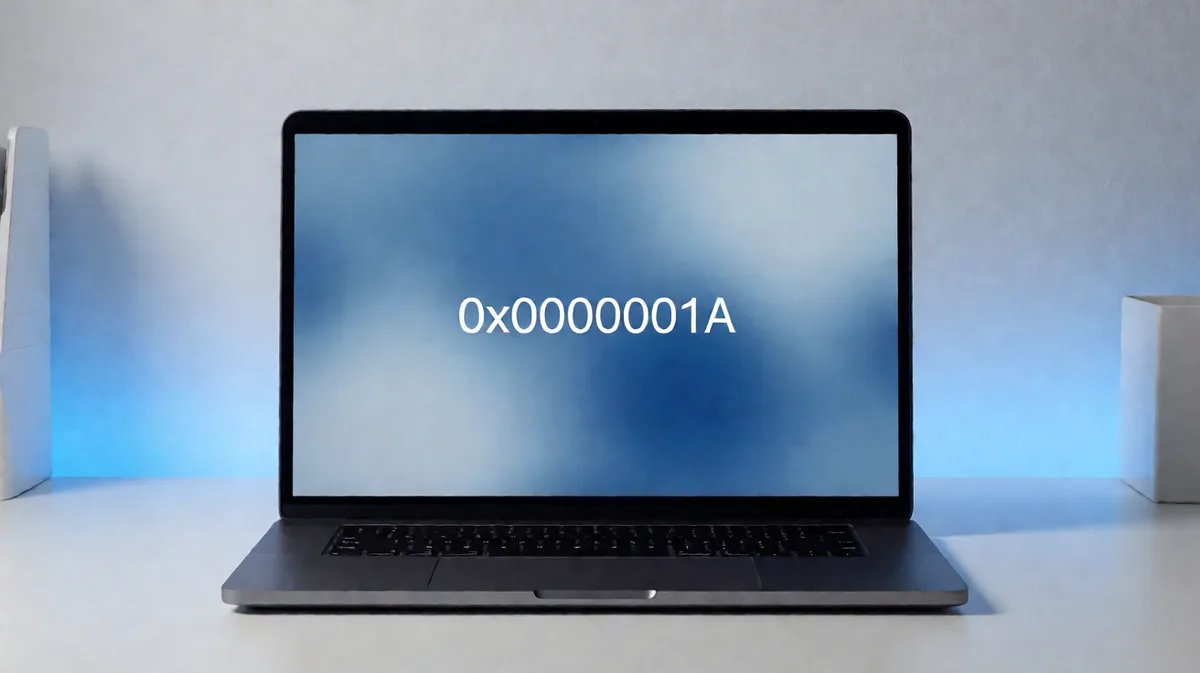
0x0000001A: What It Means and How to Fix the BSOD
Author note: I troubleshoot Windows boot failures and bug checks as part of PC repair and post-crash triage work, including minidump review, firmware rollback testing, and slot-by-slot RAM isolation on both desktops and laptops. 0x0000001A usually means memory corruption, but the useful first move is not “buy RAM.” Start by matching the crash pattern: cold-boot failures usually point to RAM training, BIOS or UEFI memory settings, slots, or the board; load-spike crashes can implicate the CPU memory controller or unstable memory settings; random runtime BSODs often trace back to drivers or storage. Guessing wrong here often leads to buying unnecessary parts, missing a failing SSD, or letting Windows corruption spread until the system fails to boot. This guide ties each failure pattern to the right checks in Windows 10 and 11, from Safe Mode startup steps to dump-file review.
This guide is part of our Windows BSOD stop codes: full list and fixes series.
The fastest first try is simple: return memory settings to default in BIOS or UEFI, disable XMP or EXPO, then use Safe Mode through Windows Recovery if the PC crashes or loops during a normal boot.
The Microsoft debugger documentation defines MEMORY_MANAGEMENT as bug check 0x0000001A and states that it indicates a severe memory management error. In practice, that stop code is a symptom category, not a part diagnosis: the underlying cause can be bad RAM, unstable memory settings, a motherboard slot or trace fault, storage corruption, or a driver corrupting memory. The linked page below is a secondary overview only, not the authority I would use for final diagnosis. (compuchenna.co.uk)
Which failure pattern matches your crash?
Match the timing before changing parts. Cold-boot-only crashes usually point to RAM training, BIOS memory settings, slots, or board traces; load-spike failures point to the CPU memory controller or unstable RAM settings; random runtime faults usually come from drivers or storage; install-time crashes often mean firmware, storage, or base memory instability.
Failure-pattern triage table
| Symptom timing | Likely layer | Quickest confirmation test | Next action |
|---|---|---|---|
| BSOD only on cold boot; restart is usually fine | RAM training, XMP or EXPO instability, motherboard slot, BIOS or UEFI | Disable XMP or EXPO, load BIOS defaults, test one DIMM in the first recommended slot | Reseat hardware first; update firmware next; replace RAM only if one stick or one slot pattern is clear |
| Crash during gaming, compiling, compression, or other sudden load spikes | CPU integrated memory controller, RAM voltage or timing margin, graphics driver crossover | Run at default memory settings, remove overclocks, test with one DIMM, then check whether the system stays stable in Safe Mode after restarting through Recovery | Reseat hardware; inspect dump files; replace RAM only after default settings still fail |
| Random runtime BSOD after login, browsing, sleep resume, or network activity | Graphics, chipset, storage, or network driver; paging file corruption; SSD or HDD path | Boot Safe Mode, capture minidumps, roll back the most recently updated driver from Device Manager, then run sfc /scannow and, if SFC finds damage it cannot fix, run DISM /Online /Cleanup-Image /RestoreHealth | Inspect dump files first; update drivers; check storage before replacing RAM |
| Crash during Windows install, update, or driver install | Storage controller, firmware, bad RAM, corrupted install image, chipset issue | Use default BIOS settings, disconnect extra peripherals, test one RAM stick, then boot to Windows Recovery Command Prompt or Safe Mode and run chkdsk C: /f; if Windows asks to schedule it for next restart, accept that and reboot | Update firmware; reseat hardware; inspect dump files if install completes far enough to write them |
How to use the table before changing anything expensive
Start with the column that matches the moment of failure, not the label on the blue screen. That one choice cuts the search path fast. A cold-boot-only machine and a machine that crashes only under load should not get the same fix order.
Capture evidence early. Microsoft’s bug-check guidance and dump-analysis workflow both depend on memory dump collection. On a running system, check C:\Windows\Minidump and C:\Windows\MEMORY.DMP before uninstalling drivers or swapping memory. If you need a broader walkthrough, use our minidump analysis guide.
Worked example
One desktop I tested would crash only from a cold start with 0x0000001A, but would run for hours after a restart. That timing pushed RAM training ahead of storage or general Windows corruption. I disabled XMP, loaded BIOS defaults, and the system stopped bug checking. Testing each DIMM alone in the primary slot may show both sticks passing, while one motherboard slot reproduces the fault with either stick. That evidence pointed away from “replace both RAM sticks” and toward the board slot or trace. The useful lesson is simple: a single failing slot pattern is much stronger evidence for a motherboard issue than a generic MEMORY_MANAGEMENT label.
Desktop, laptop, and VM first-test differences
On a desktop, I start with one DIMM at a time in the board’s primary slot. On a laptop, Safe Mode and dump collection come first because memory may be soldered or buried under the board. On an Azure VM or other virtual machine, hardware replacement is usually off the table, so driver changes, guest updates, and dump review move to the front.
Diagnostic standard: treat MEMORY_MANAGEMENT 0x0000001A as a bug-check family, then confirm the failing layer with dumps, default-memory testing, and slot or driver isolation. The linked article is a secondary overview, not primary proof. (source)
Most often, the fault starts with RAM or memory settings
Most cases start with unstable RAM, mixed kits, or aggressive XMP or EXPO settings. The right order is to remove tuning, reseat the modules, test one stick at a time, then use Windows Memory Diagnostic; a clean pass helps, but it does not fully clear the memory path.
Exact steps
- Enter BIOS or UEFI and load the default settings. If memory overclocking profiles like XMP or EXPO are enabled, turn them off and save the changes.
- Shut down fully. Remove power if it is a desktop, then reseat the RAM sticks.
- Boot with one DIMM only in the board’s recommended primary slot. If stable, test the other stick alone in the same slot.
- If both sticks work alone, move one known-good stick across slots to look for a bad slot or channel.
- Run Windows Memory Diagnostic: press Win + R, type mdsched.exe, choose Restart now and check for problems. The tool restarts the PC and checks RAM. The linked article is an explainer, but the command itself is Microsoft’s built-in test. (engadget.com)
How to tell RAM from motherboard or CPU memory controller
A bad stick usually fails in multiple slots. A bad slot or board trace usually breaks stability only in one slot or one channel. If each stick works alone but paired operation fails at default settings, suspicion shifts toward the board or the CPU integrated memory controller, especially after a recent CPU change or BIOS change.
This is where crash pattern matters. Cold-boot-only faults often point to training margin. Load-spike faults that vanish when memory returns to default can point to controller weakness rather than a dead DIMM.
Windows Memory Diagnostic is recommended and is launched with mdsched.exe, but a pass is not final proof of health. Intermittent faults can slip through and still produce the same stop code later. My rule in the shop is: if one stick fails in any slot, suspect that stick first; if multiple known-good sticks fail only in one slot, suspect the board; if both sticks pass alone but fail together at defaults, put the board and CPU memory controller ahead of the DIMMs. The forum thread linked below is not primary evidence, but it is a decent example of how the same code can appear with board, slot, or controller variables in play. (forums.tomshardware.com)
For a step-by-step memory workflow, see our RAM diagnostic guide.
If that did not work, check drivers and firmware next
When crashes happen after login, after an update, or during gaming, driver and firmware issues move up the list fast. Graphics, chipset, storage, and network drivers are the main suspects, and Safe Mode is the cleanest way to split a software path from a hardware path. If the machine is stable with minimal drivers loaded, that is evidence against a simple “bad RAM only” conclusion.
Exact steps
- Enter Safe Mode. In Windows 11, go to Settings > System > Recovery > Advanced startup > Restart now. In Windows 10, go to Settings > Update & Security > Recovery > Advanced startup > Restart now. Then choose Troubleshoot > Advanced options > Startup Settings > Restart, then select Safe Mode. The linked article is a consumer walkthrough; Microsoft’s own recovery path uses the same menu sequence. (businessinsider.com)
- Open Device Manager. Check Display adapters, System devices, Storage controllers, and Network adapters.
- If the crashes began after a driver update, right-click the device, choose Properties > Driver > Roll Back Driver. If rollback is unavailable, choose Uninstall device, restart, then install the vendor package again.
- If the crashes began after a board, CPU, or SSD change, update BIOS or UEFI and install the latest chipset package from the system or motherboard vendor.
- After each driver or firmware change, keep copies of new minidumps instead of wiping the history. Repeated faulting modules matter.
Why this section matters for gaming and after-update crashes
A gaming-only 0x0000001a often mixes memory pressure with a graphics driver or controller issue. An after-update 0x0000001a usually points to a changed driver stack or firmware mismatch. Safe Mode loads basic drivers, so if the machine is stable there, third-party drivers become much more likely. If you need the exact recovery path again, use our Safe Mode startup steps or broader BSOD troubleshooting guide.
If that still did not fix it, test storage and repair Windows files
Storage faults can surface as MEMORY_MANAGEMENT because paging activity, corrupted file reads, and storage driver errors all touch memory handling. If the machine crashes during installs, updates, or disk-heavy work, run file repair first, then check the storage path and controller driver.
Exact steps
- Open Command Prompt as administrator and run
sfc /scannow. - If SFC reports corruption it cannot repair, run
DISM /Online /Cleanup-Image /RestoreHealth, then runsfc /scannowagain. The linked Microsoft Learn thread reflects the standard repair order, but for authority I rely on Microsoft’s SFC and DISM documentation. (Microsoft Learn) - Open Command Prompt as administrator and run
chkdsk. If prompted to schedule on restart, accept it. - Open Device Manager > Storage controllers and update or roll back the controller driver if the timing matches the first crash.
- If dumps and symptoms point toward disk trouble, run the SSD or HDD vendor’s diagnostic utility in addition to
CHKDSK.
How to read the result
If SFC and DISM fix files and the blue screens stop, the Windows image or paging path was likely involved. If installs fail, file copies corrupt, or dumps vary wildly from crash to crash, storage should stay in scope. Malware scanning is worth doing only when file corruption keeps returning or a recent security product change lines up with the first failures.
I treat security-software removal as a timing-based test, not a blanket fix: if crashes began right after a third-party antivirus, cleanup suite, disk filter, or VPN driver was added or upgraded, remove that software temporarily and retest before replacing hardware. For the command sequence, use our SFC and DISM repair guide.
What should you do if Windows will not stay booted long enough to test?
Use Safe Mode or the recovery path to collect evidence first, then strip the system to a minimal state. On desktops, remove extra RAM, USB devices, and add-in cards; on laptops, keep changes to software and external devices unless service access is straightforward.
Exact steps
- Force the recovery menu by interrupting boot, or use the Windows recovery options, then enter Safe Mode through Troubleshoot > Advanced options > Startup Settings.
- Copy files from
C:\Windows\Minidumpand note whetherC:\Windows\MEMORY.DMPexists. - Open Event Viewer from Safe Mode and check Windows Logs > System around the crash time for storage, driver, or kernel-power entries.
- On a desktop, disconnect nonessential USB devices and remove recently added PCIe cards. Boot with one RAM stick only.
- On a laptop, disconnect docks, external drives, and USB adapters. If memory is inaccessible or soldered, stop at Safe Mode, SFC, DISM, driver rollback, and firmware update before choosing service.
When normal boot never returns
If Safe Mode is stable and normal boot is not, the odds shift toward drivers or startup software. If neither mode is stable, hardware, firmware, or storage becomes more likely. That split matters because it decides if time should go into dump analysis or into slot-by-slot hardware tests.
Still not working? Escalate in this order
Escalate by comparing hard evidence, not by buying the next likely part. Known-good RAM in default BIOS settings, repeat dump patterns, and slot-specific failures are the three strongest signals; once those point to board or CPU, software repair stops being the efficient path.
Escalation ladder
- Retest at BIOS defaults with one known-good stick in each slot. Write down which combinations pass and fail.
- Review dump files for repeated faulting drivers or memory-manager patterns. In WinDbg, I look first for repeated driver names, storage filter drivers, or broad outcomes such as memory_corruption. A single dump is weak evidence; repeated matches across crashes are much stronger.
- If one stick fails everywhere, replace RAM. If one slot fails with multiple sticks, suspect the motherboard.
- If each stick passes alone but paired use still crashes at defaults, suspect the board or CPU memory controller.
- If crashes track installs, updates, or disk-heavy work even after driver cleanup, push harder on storage checks and controller drivers.
- If the system is still unstable after Safe Mode, SFC, DISM,
chkdsk, default BIOS settings, and one-stick testing, move to warranty service, board-level diagnosis, or a clean Windows install. Use Settings > System > Recovery > Reset this PC only after dumps are saved.
Prevention
Keep memory at proven-stable settings, avoid mixing kits, and save a copy of minidumps before each major driver or firmware change. That small habit makes the next crash much easier to isolate.
Frequently asked questions
What causes 0x0000001a blue screen error?
The leading causes are unstable RAM settings, defective or mismatched memory modules, graphics or chipset or storage drivers, and storage corruption that affects the paging path. Dump analysis is often needed to pin down the source. In real dump work, the useful clue is not the stop-code label by itself, but whether the same driver, storage path, or slot pattern repeats.
How do I fix STOP: 0x0000001A on Windows 11?
Start with Settings > System > Recovery > Advanced startup > Restart now to reach Safe Mode. Then disable XMP or EXPO in BIOS, test one RAM stick at a time, run mdsched.exe, update or roll back graphics and chipset drivers in Device Manager, and run sfc /scannow followed by DISM /Online /Cleanup-Image /RestoreHealth.
Is 0x0000001a a RAM problem or a motherboard problem?
It can be either. If one stick fails in every slot, replace RAM. If multiple known-good sticks fail only in one slot or channel, suspect the motherboard. If each stick works alone but the system crashes with both installed at default settings, the board or CPU memory controller becomes more likely than the modules. That last case is why “passed a memory test once” is not enough evidence to clear the board or controller.
How do I run Windows Memory Diagnostic for 0x0000001a?
Press Win + R, type mdsched.exe, and press Enter. Choose Restart now and check for problems; the PC restarts and checks RAM. This tool is recommended for this stop code, but a pass should be treated as useful evidence, not final clearance for the whole memory path.
Can outdated drivers cause MEMORY_MANAGEMENT 0x0000001A?
Yes. Graphics, chipset, storage, and network drivers can all produce crashes that look memory-related, especially after updates or when the system is stable in Safe Mode but unstable in normal boot. Use Device Manager > Properties > Driver to roll back or uninstall the most recently changed driver first.
Should I use SFC or DISM for 0x0000001a?
Use sfc /scannow first because it checks and repairs system files directly. If SFC cannot repair everything, run DISM /Online /Cleanup-Image /RestoreHealth, then run SFC again. That order works best when crashes happen during updates, installs, or other disk-heavy work where file corruption is plausible.
Can bad RAM pass memtest but still cause 0x0000001a?
Yes. Intermittent faults tied to cold starts, slot pressure, training margin, or a weak memory controller may not fail every test run. That is why one-stick testing, slot rotation, default BIOS settings, and crash timing still matter even after Windows Memory Diagnostic or another memory test passes.
Does 0x0000001a mean my SSD or hard drive is failing?
No, but storage can absolutely be the trigger. If the crashes cluster around installs, updates, paging, or heavy file activity, run chkdsk, inspect storage-controller drivers in Device Manager, and review dumps before replacing RAM. Disk corruption and controller faults can surface through this stop code.
Sources
- Microsoft debugger documentation for bug check 0x1A MEMORY_MANAGEMENT.
- Microsoft support documentation for Windows Recovery Environment and Safe Mode startup paths.
- Microsoft support documentation for Windows Memory Diagnostic, System File Checker, DISM, and
CHKDSK. - Motherboard, laptop, SSD, and chipset vendor support pages for BIOS, UEFI, firmware, and driver updates.
- WinDbg dump-analysis workflow using minidumps in
C:\Windows\Minidumpand full dumps inC:\Windows\MEMORY.DMP. - Secondary overview and discussion links retained for context: compuchenna.co.uk, engadget.com, businessinsider.com, Microsoft Learn, forums.tomshardware.com.