Code 3703: What It Means and How to Fix It
Windows activation error code 3703 is probably a misread or a non-Windows support code, so check where it came from before you try fixes. If you guess wrong, you can waste time, change the wrong settings, or follow steps that do nothing. This guide shows how to confirm the code, identify the likely source, and then apply the correct Windows steps only if it is an activation error.
What code 3703 usually means
Code 3703 is ambiguous. In Windows searches, a numeric-only code often turns out to be a misread screenshot, a payroll code, or a support reference that is not part of Windows activation at all. Start by checking the source, because the correct fix depends on whether the code came from activation, payroll, or another system.
What to check before treating it as a Windows activation error
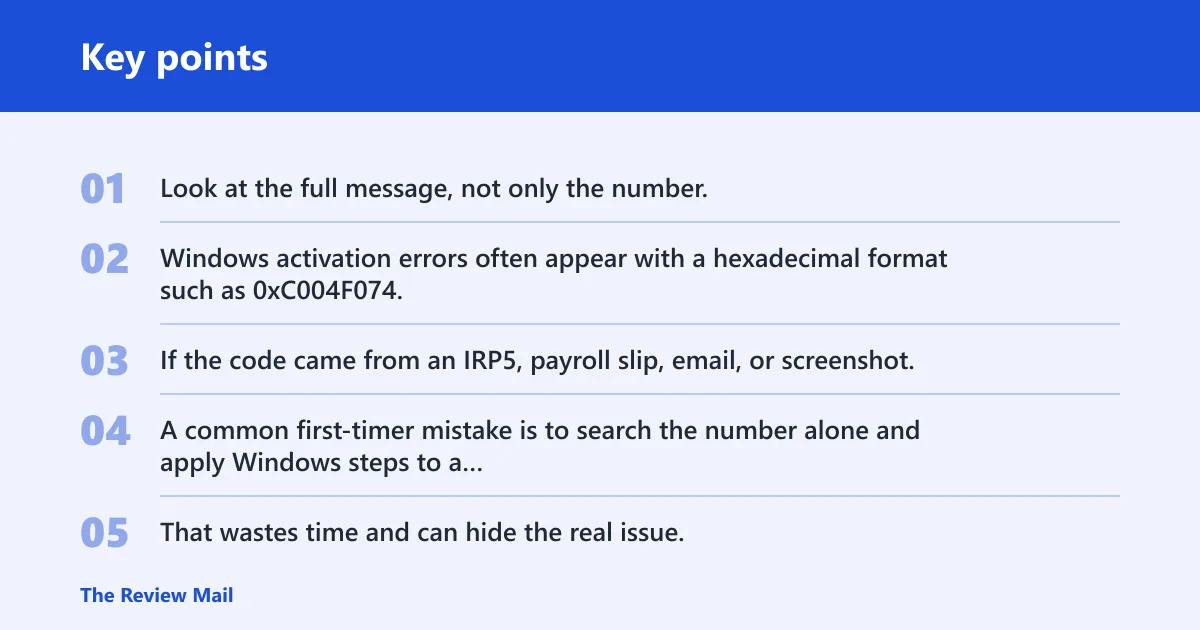
Look at the full message, not only the number. Windows activation errors often appear with a hexadecimal format such as 0xC004F074, while a plain number like 3703 may come from a different system entirely. If the code came from an IRP5, payroll slip, email, or screenshot, stop and identify the source first.
A common first-timer mistake is to search the number alone and apply Windows steps to a payroll code. That wastes time and can hide the real issue. If the message includes terms like IRP5, IT3(a), travel allowance, or reimbursive rate, it belongs to SARS payroll logic, not activation.
Where the code appeared and why that matters
If the code appeared on a Windows activation screen, it may still be a licensing issue. If it appeared on a payslip, tax certificate, or payroll report, it is almost certainly a SARS source code. If it appeared in an email or screenshot without context, verify the surrounding text before doing anything else.
Is 3703 actually a Windows activation error?
Maybe, but not by default. The safest path is to identify the format and the source before you try activation commands. A numeric-only code, a KMS-style error, or a payroll code all lead to different fixes. That is why verification comes first.
Code format check
Windows activation errors usually show up as hexadecimal codes or KMS errors. Numeric-only codes can be unrelated. If the code is written as 3703 with no 0x prefix and no activation wording, treat it as unconfirmed. If it appears as part of a Windows licensing message, continue with activation checks.
Source check
Ask where the code appeared: activation prompt, screenshot, payroll slip, or email. Microsoft activation messages appear inside Windows settings or licensing dialogs. SARS codes appear in payroll and tax documents. A screenshot can also be misleading if the number was cropped or misread from a nearby line.
Next step based on the most likely category
If the code is really from Windows, move to activation status, administrator access, and a retry with the standard command. If it is from payroll, use the SARS code path instead. If it came from a third-party message or image, verify the exact wording before applying any fix.
3703 decision table
This table separates the likely cases so you can avoid the wrong fix. Start with the format, then match it to where the code appeared. The first safe check should be low-risk and reversible. Only move to a fix after the source is clear.
| Code format | Where it appeared | Likely category | First safe check | Next step |
|---|---|---|---|---|
Hexadecimal, such as 0xC004F074 | Windows activation screen or licensing dialog | Windows activation or KMS | Check activation status and edition | Run activation commands or KMS checks |
| Numeric-only, such as 3703 | Payroll slip, IRP5, IT3(a), or HR email | SARS payroll source code | Confirm the document type and line item | Check travel allowance and payroll treatment |
| KMS error with activation wording | Enterprise device on a volume license | Windows KMS issue | Check DNS discovery and network reachability | Verify KMS host, port 1688, and channel |
| Code on a screenshot or forwarded message | Image, email, or chat thread | Possibly misread or non-Windows | Read the full surrounding text | Match the source before trying any fix |
If it is a Windows activation code
Start with the basics. Open Command Prompt or PowerShell with administrator rights, check activation status, and retry activation with slmgr /ato. If the device still fails, look for an edition mismatch or a blocked key. A wrong-type key often fails even when the code looks familiar.
Use the common repair order: confirm the installed edition, retry activation, and only then replace the key if needed. The quick command reference also includes slmgr /ipk <KEY> for installing a new product key. If the key is blocked, there is no legitimate fix without a new one.
If it is a KMS or volume-license issue
For volume-license devices, check whether the client can reach the KMS host server. DNS discovery matters, and the KMS SRV record can be missing from DNS. A firewall can also block TCP port 1688. Confirm the device is on the right network and using the right licensing channel before replacing anything.
The quick command list for KMS troubleshooting includes slmgr /skms <server>:1688 for setting a KMS server address. That is only useful when the device should be using KMS. If the machine is a retail or OEM system, a KMS fix is the wrong path.
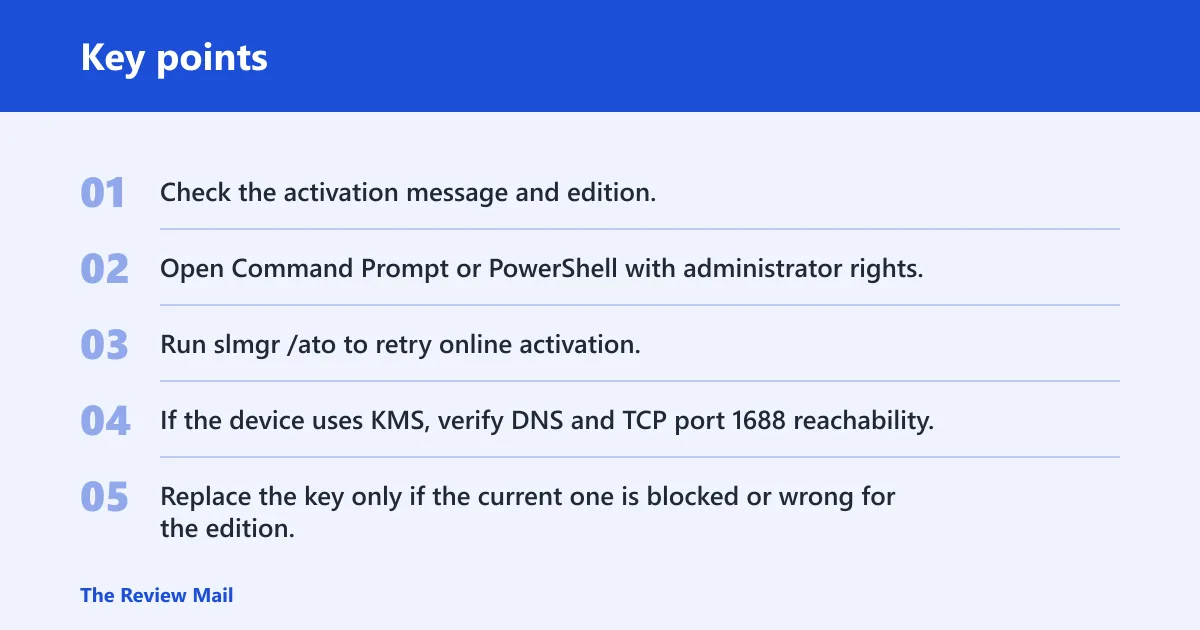
- Check the activation message and edition.
- Open Command Prompt or PowerShell with administrator rights.
- Run slmgr /ato to retry online activation.
- If the device uses KMS, verify DNS and TCP port 1688 reachability.
- Replace the key only if the current one is blocked or wrong for the edition.
The general Windows repair advice also includes using Windows Troubleshooter and running System File Checker with sfc /scannow. Common Windows error causes include interrupted downloads, permission conflicts, corrupted registry, and driver failures. Those steps are useful only after you confirm the issue is truly Windows activation related.
What 3703 means in SARS payroll
On IRP5 and IT3(a) documents, source code 3703 is commonly used for a non-taxable reimbursive travel allowance. It applies when the employer’s rate is below the SARS prescribed rate and no other travel compensation is paid for the same vehicle. The code belongs to payroll treatment, not Windows licensing.
IRP5/IT3(a) source code 3703
Code 3703 is used for reimbursive travel allowance paid for actual business kilometres. The employee needs a business logbook, and private travel must be excluded. The amount is not a fixed monthly allowance. It is tied to actual business distance and the employer’s reimbursive rate.
How 3703 is calculated
The calculation is straightforward: business kilometres from the logbook multiplied by the employer’s reimbursive rate. Tax-free treatment is limited by the SARS prescribed rate per kilometre. If the employer pays below that rate and no other travel compensation is paid for the same vehicle, the amount can stay non-taxable.
Suppose a worker records 800 business kilometres in a month and the employer pays a reimbursive rate that is below the SARS prescribed rate. The payroll amount is based on the logged business distance, not on the full monthly driving total. Private kilometres stay out of the claim.
What is the SARS rate per kilometre for code 3703?
The SARS prescribed rate per kilometre is an annual gazetted rate, and it changes by tax year. Some references cite a 2026 rate around R4.76 per km, with another rate of R4.95 per km from 1 March 2026. Use the rate for the relevant tax year, not a rate copied from a previous period.
Is code 3703 taxable?
Usually, no. Source code 3703 is the non-taxable reimbursive travel allowance code when the payment stays within the SARS prescribed rate and the other conditions are met. If the amount exceeds the prescribed rate, another code may apply to the taxable portion. That is where payroll treatment changes.
Do I need a logbook for code 3703?
Yes. A business logbook supports the reimbursement claim and helps reconcile the assessment. It should record business kilometres so payroll can separate business travel from private travel. Without that record, the employer has little support for a non-taxable reimbursive claim.
Picture a sales employee who drives one sedan for client visits and private errands. If the logbook shows only business trips to client sites, the employer can calculate the reimbursive amount from that mileage. If private trips are mixed in, the record no longer supports the same treatment.
3701, 3702, and 3722 compared
These codes are close enough to confuse people, but they do different jobs. Code 3701 is a fixed travel allowance. Code 3702 is a taxable reimbursive travel allowance. Code 3722 captures excess reimbursement above the prescribed rate. Payroll teams choose the code based on how the vehicle is used and how the allowance is paid.

Fixed travel allowance code 3701
Code 3701 is a fixed monthly travel allowance. By default, 80% is subject to employees’ tax. The remaining 20% is taxed if the employer is satisfied that the vehicle is used more than 80% for business. That makes 3701 different from a reimbursive payment tied to actual kilometres.
Taxable reimbursive travel allowance code 3702
Code 3702 is used when the reimbursive rate exceeds the prescribed rate, or when another allowance is also paid. The taxable part is the amount above the prescribed rate. That excess must be included in remuneration for PAYE and employees’ tax purposes.
Excess reimbursement code 3722
Code 3722 captures the amount above the prescribed rate. It is calculated using business kilometres multiplied by the rate difference. That code helps payroll split the payment into the non-taxable portion and the excess that must be taxed.
How payroll teams choose the right code
Choose 3703 when the employer reimburses actual business kilometres below the prescribed rate and no other travel compensation is paid for the same vehicle. Use 3701 for a fixed allowance. Use 3702 or 3722 when the reimbursement exceeds the limit or includes a taxable excess. The code should match the payment structure, not the employee’s preference.
How do I fix a code 3703 payroll error?
Fix the source, not the number. If it came from a Windows error message, use activation steps instead. The right correction depends on the document and the payment type.
The safest payroll correction is to verify the travel allowance setup, the logbook, the employer rate, and whether any other vehicle compensation was paid. If the payment is below the SARS prescribed rate and only reimburses business kilometres, 3703 is usually the right code. If not, payroll should change the classification and recalculate PAYE.
Frequently asked questions
What is code 3703?
Code 3703 is usually a SARS payroll source code for a non-taxable reimbursive travel allowance. It can also be a misread or unrelated support code when someone searches it in a Windows context. The first step is to confirm where you saw it before trying any fix.
What does code 3703 mean on an IRP5?
On an IRP5, 3703 points to reimbursive travel allowance that meets the non-taxable rules. It applies to actual business kilometres, supported by a logbook, and the employer’s rate must stay below the SARS prescribed rate. It is not the same as a fixed travel allowance.
How is code 3703 calculated?
It is based on business kilometres from the logbook multiplied by the employer’s reimbursive rate. Tax-free treatment is limited by the SARS prescribed rate per kilometre for that tax year. Private kilometres are excluded, so the logbook matters.